Automation

Triage that follows your rules.

Set conditions, priority and routing. See the results directly in your conversations.
See how it works
  • Private beta by invitation. Participation terms are agreed individually with each tester.
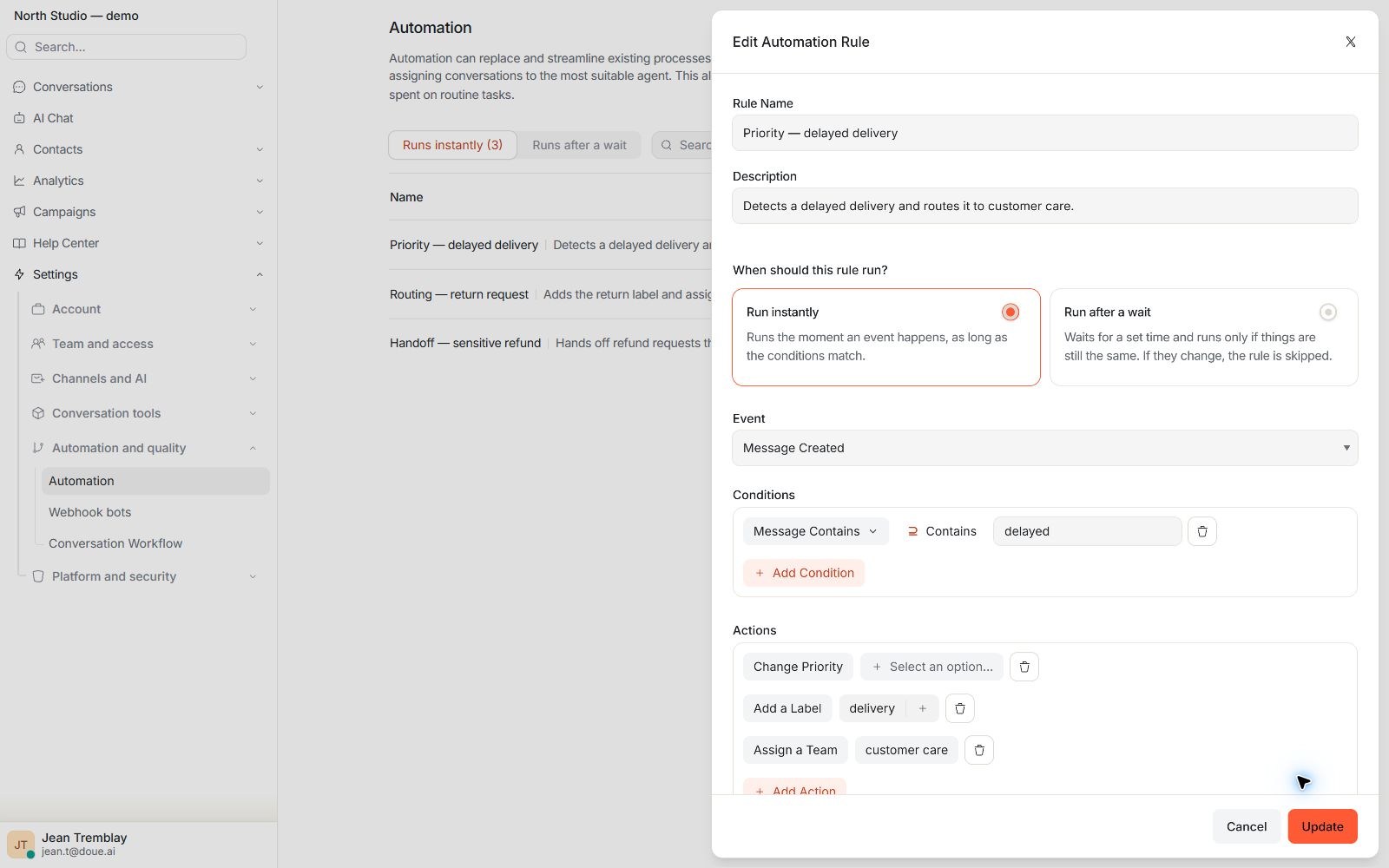
doue automation editor showing a trigger, conditions, and actions for priority, routing, and labels.
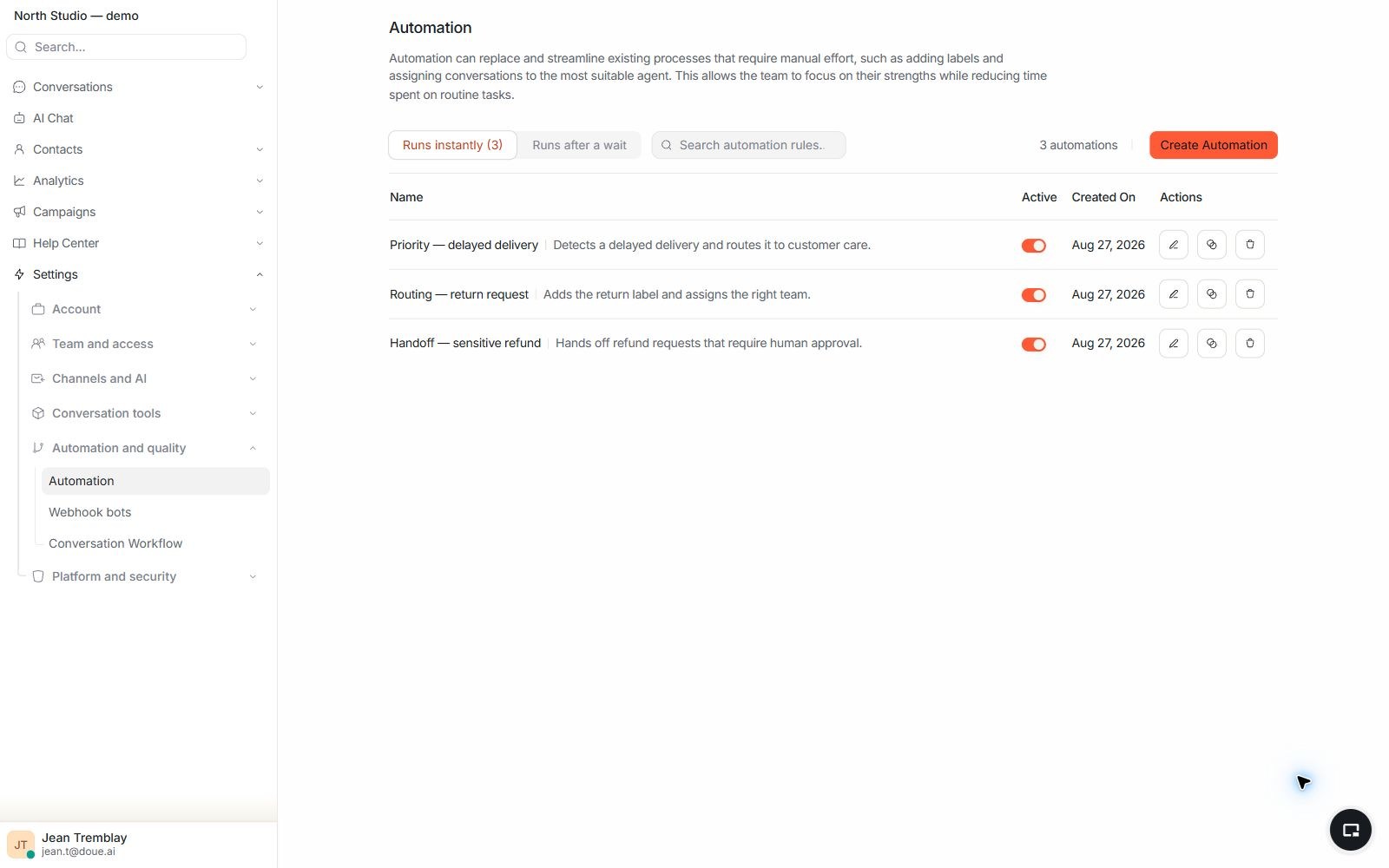
Real automation rule list in a doue demonstration account showing rule state and trigger.

Inspectable logic

Rules you can review.

The automation list shows status, trigger, and scope before the team even opens the editor.

  • Active and inactive rules are distinguished.
  • The trigger remains connected to the rule.
  • The name describes the outcome expected by the team.

In your workspace

Triage rules and Sol procedures.

A rule responds to an event and conditions. A procedure guides the assistant workflow with a version reviewed, simulated and approved before activation.

  • Review imported proposals before accepting them.
  • Test expected scenarios and human handoffs.
  • Procedure and tool access depends on permissions and configuration.
Read the guide

In your workspace

Campaigns have their own scope.

Web chat campaigns let you prepare a message under defined conditions. Available channels, permissions and limits determine which campaigns you can use.

  • Define audience, conditions and content before activation.
  • Test triggering in a demonstration workflow.
  • A channel’s presence in the application does not guarantee it is enabled in your account.
Read the guide

From criteria to outcome

See the result in your inbox.

After execution, the team sees the applied priority, ownership, and labels in its usual workspace.
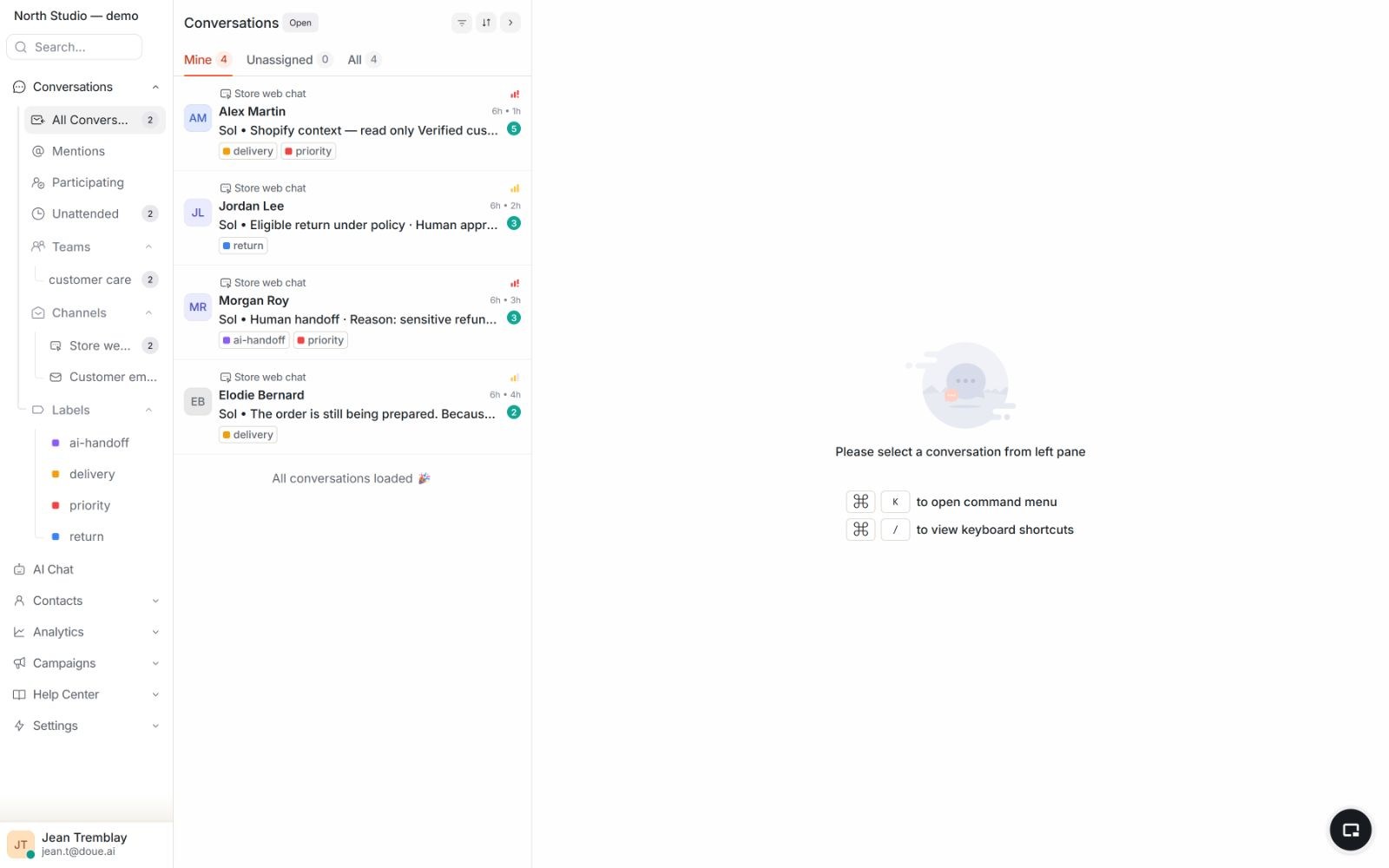
  • Priority surfaces the request in the queue.
  • Routing names the responsible team.
  • An agent can manually take over an out-of-scope conversation.
doue dashboard showing triage results on synthetic conversations with priority and ownership.

Capabilities and limits

Your logic, applied to support.

Available building blocks cover a rule’s full path from input to outcome.

Available today

Triggers

Start a rule from a defined event.

Conditions

Limit execution to conversations matching the criteria.

Priority

Surfaces requests that require faster attention.

Routing and assignment

Directs the conversation to the responsible team.

Limits and control

A rule does what is written, and nothing more.

Control comes from inspectable criteria and the ability to take over manually.

  • Every outcome follows a configured trigger and set of conditions.
  • Priority, routing, and labels remain visible after execution.
  • The team can take over when a request falls outside the rule.

Start with one rule.

Private beta by invitation. Participation terms are agreed individually with each tester.

Contact us
  • Access by invitation
  • Terms agreed individually
  • Private beta by invitation. Participation terms are agreed individually with each tester.