Integrations

Your tools inform the answer.

Connect email, web chat, knowledge and commerce context to your customer service.
See how it works
  • Private beta by invitation. Participation terms are agreed individually with each tester.
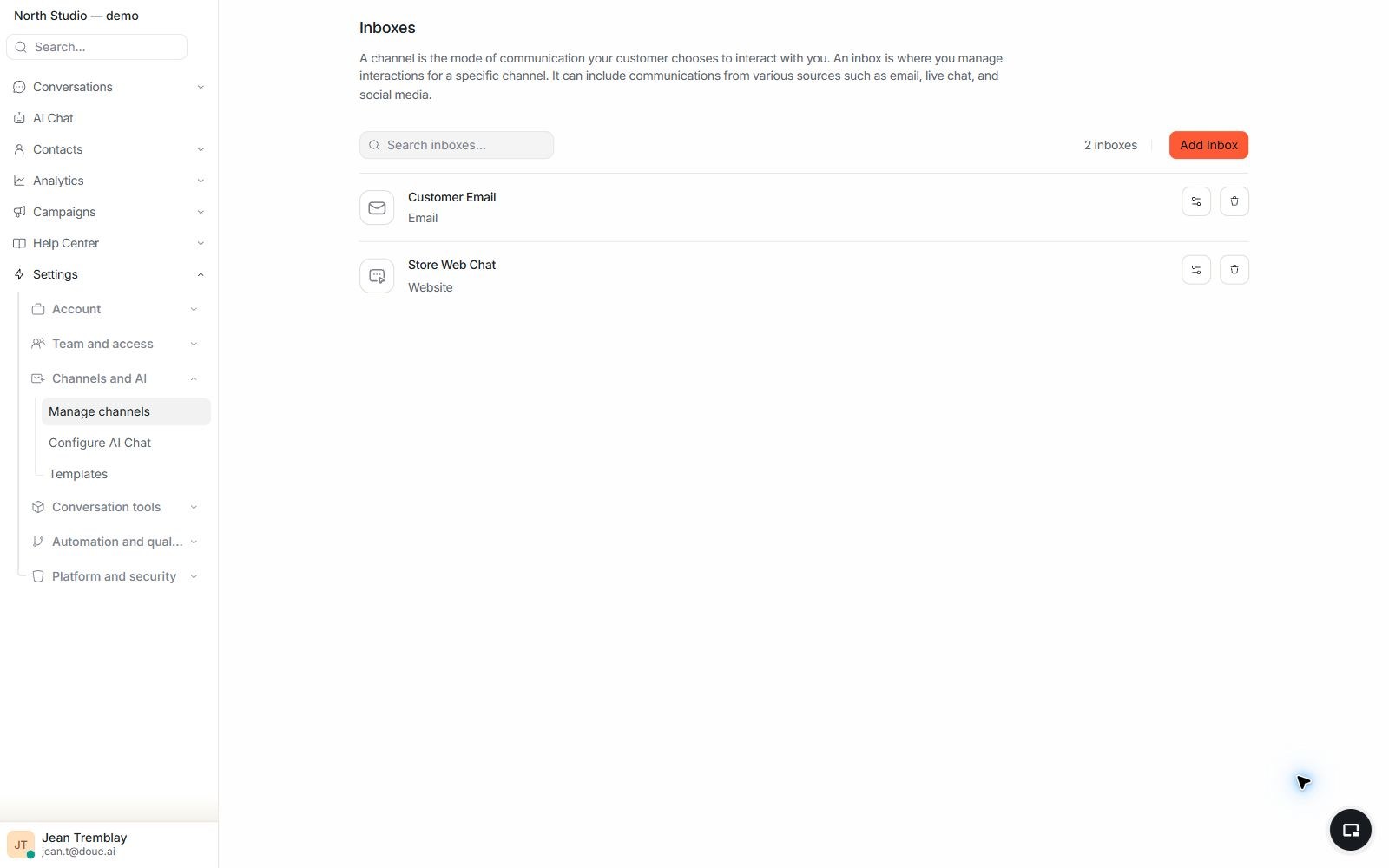
doue settings showing a web chat inbox and an email inbox configured for a demonstration account.
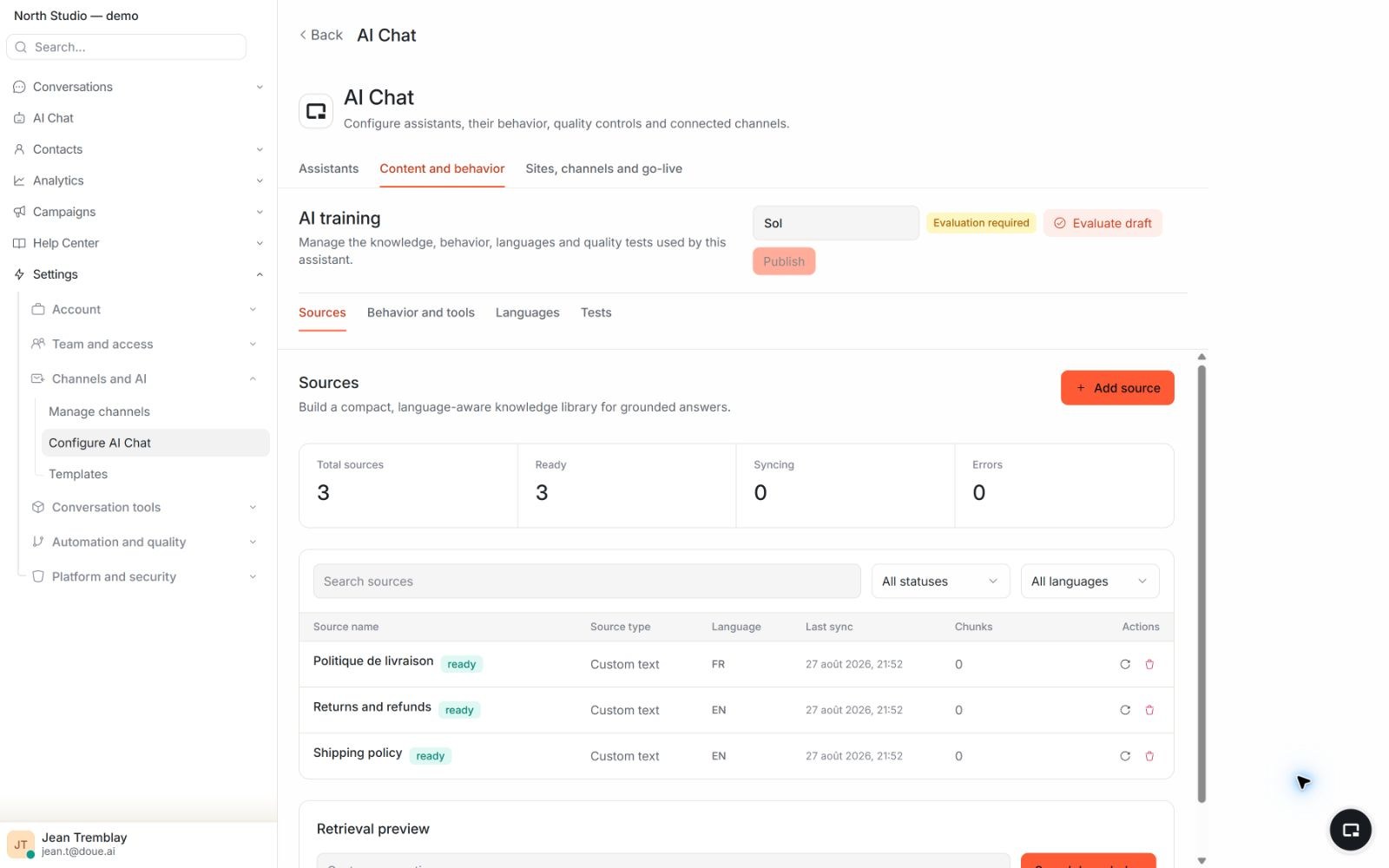
doue knowledge screen showing ready French and English sources used to support answers.

Conversations and knowledge

Messages and their sources.

Email and web inboxes receive requests; knowledge sources provide the policies needed for a grounded answer.

  • Web chat and email are configured as distinct inboxes.
  • Requests enter the same handling experience.
  • Ready knowledge is identified before it is used.

In your workspace

Check the role of each connection.

Email and Web chat receive messages. Knowledge supports replies. Shopify adds commerce context when connected and authorized, and assisted actions if you turn them on.

  • Configure a Web or email inbox and assign its members.
  • Check installation, permissions and data in the correct account.
  • For Shopify, follow the connection guide before consulting orders.
Read the guide

Shopify connection

Authorize your store context.

Installation requires appropriate access to the store and doue account. Verify permissions and the connected store before consulting data.

  • AI tools consult data; any Shopify action follows your approval rules.
  • Connection and commercial capabilities depend on features open on your account.
Read the guide

Knowledge connection

Prepare authorized sources.

Public pages and documents must be accessible, supported and ready. You remain responsible for their updates.

  • Respect source and synchronization limits.
  • Test content in each language you use.
Read the guide

Web connection

Install the widget on your site.

An administrator configures the web inbox; access to your website code lets you install its snippet. The widget receives messages without automatically enabling Sol.

  • Check the domain, members and website consent rules.
  • Send a test message before making the widget visible.
Read the guide

Commerce context

Shopify context, in the thread.

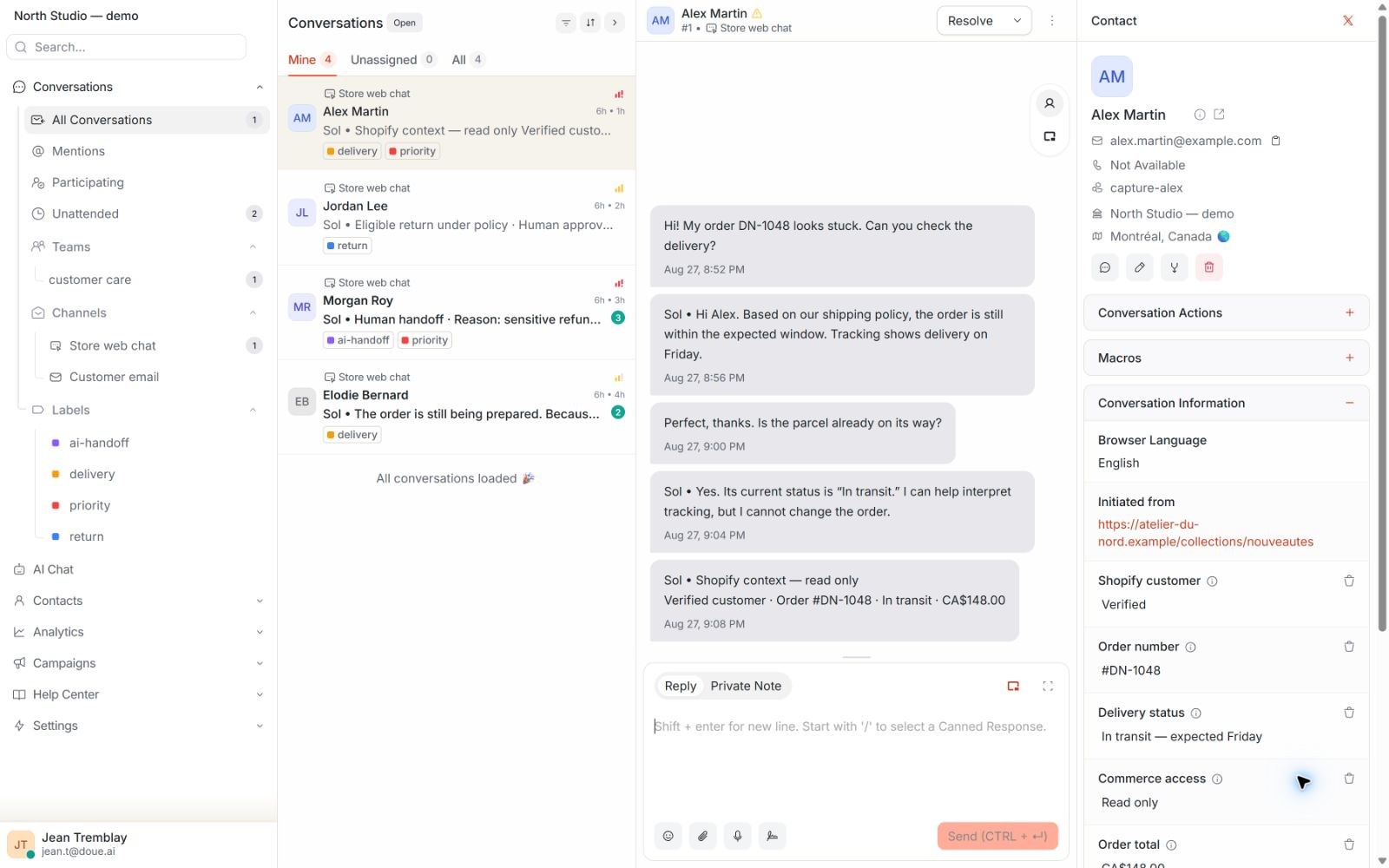
Profile, order, and fulfilment details inform the reply in the thread.
  • The connection depends on account installation and permissions.
  • Shopify actions go through requests your team approves.
  • Review available connections before configuring your workflow.
doue conversation showing read-only Shopify context linked to a synthetic customer and order.

Capabilities and limits

Available connections.

This page presents only connections used by the current product.

Available today

Shopify

Provides customer, order, and fulfilment context, plus assisted actions you turn on.

Email

Brings received requests into the shared inbox.

Web chat

Connects website conversations to the same service experience.

Knowledge

Supplies authorized sources used to ground answers.

Limits and control

Available means connected, configured, and controlled.

Each integration’s behaviour depends on its access and role.

  • Every connection must be configured and authorized in the relevant account.
  • AI tools look up Shopify; assisted actions stay off until you turn them on.
  • Sources must be ready and authorized before supporting an answer.

Integrations

Your store, your connection.

Shopify provides context and assisted actions on approval. The WooCommerce connection through WordPress is verified in testing and requests read access only.

Connect your first channel.

Private beta by invitation. Participation terms are agreed individually with each tester.

Contact us
  • Access by invitation
  • Terms agreed individually
  • Private beta by invitation. Participation terms are agreed individually with each tester.