Oli, the doue copilot

Oli, your copilot in doue.

Consult your knowledge and prepare replies with Oli. Review, adjust and send: you keep the decision.
See how it works
  • Private beta by invitation. Participation terms are agreed individually with each tester.
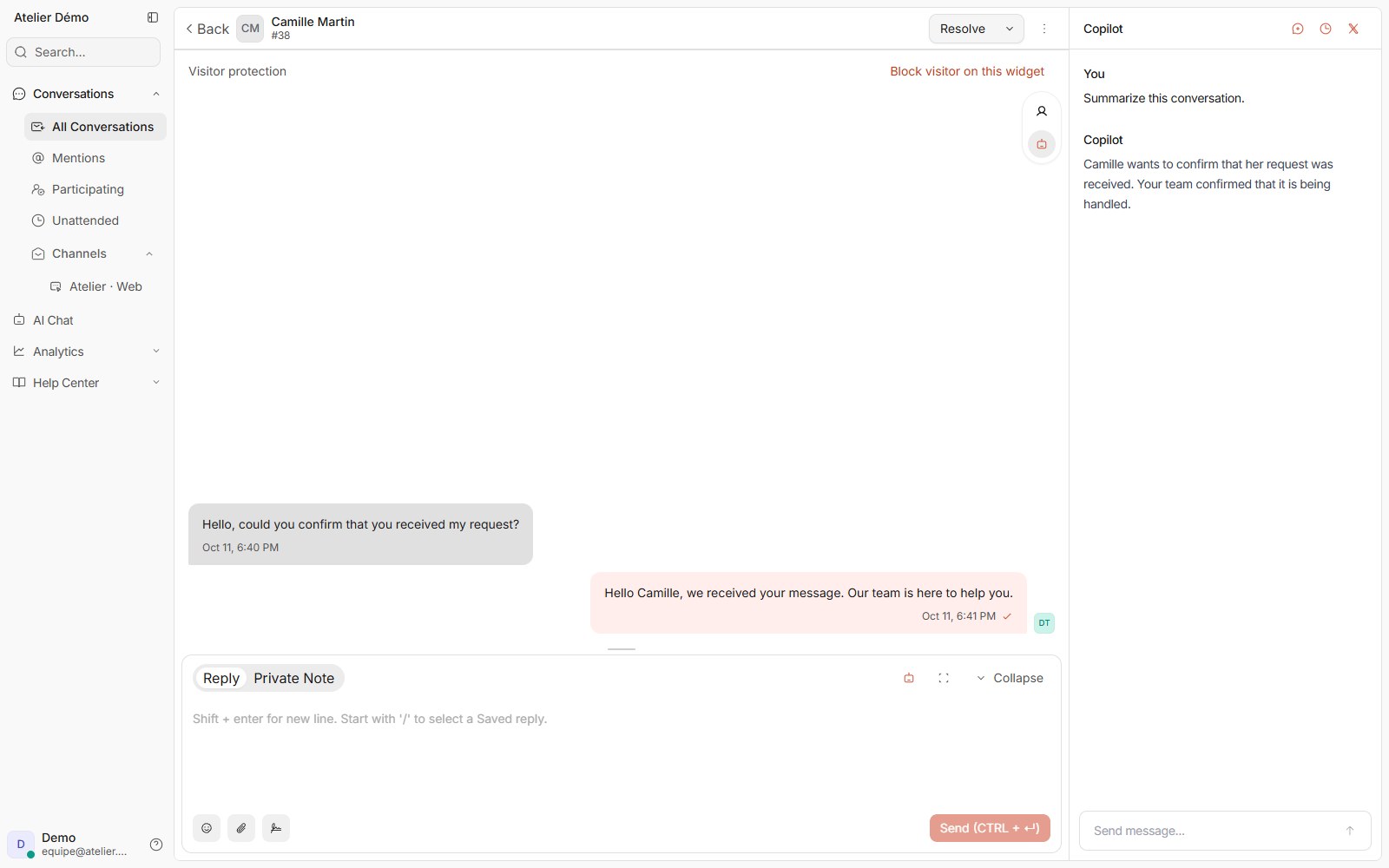
Compiled doue interface showing the copilot beside a conversation with demonstration data.
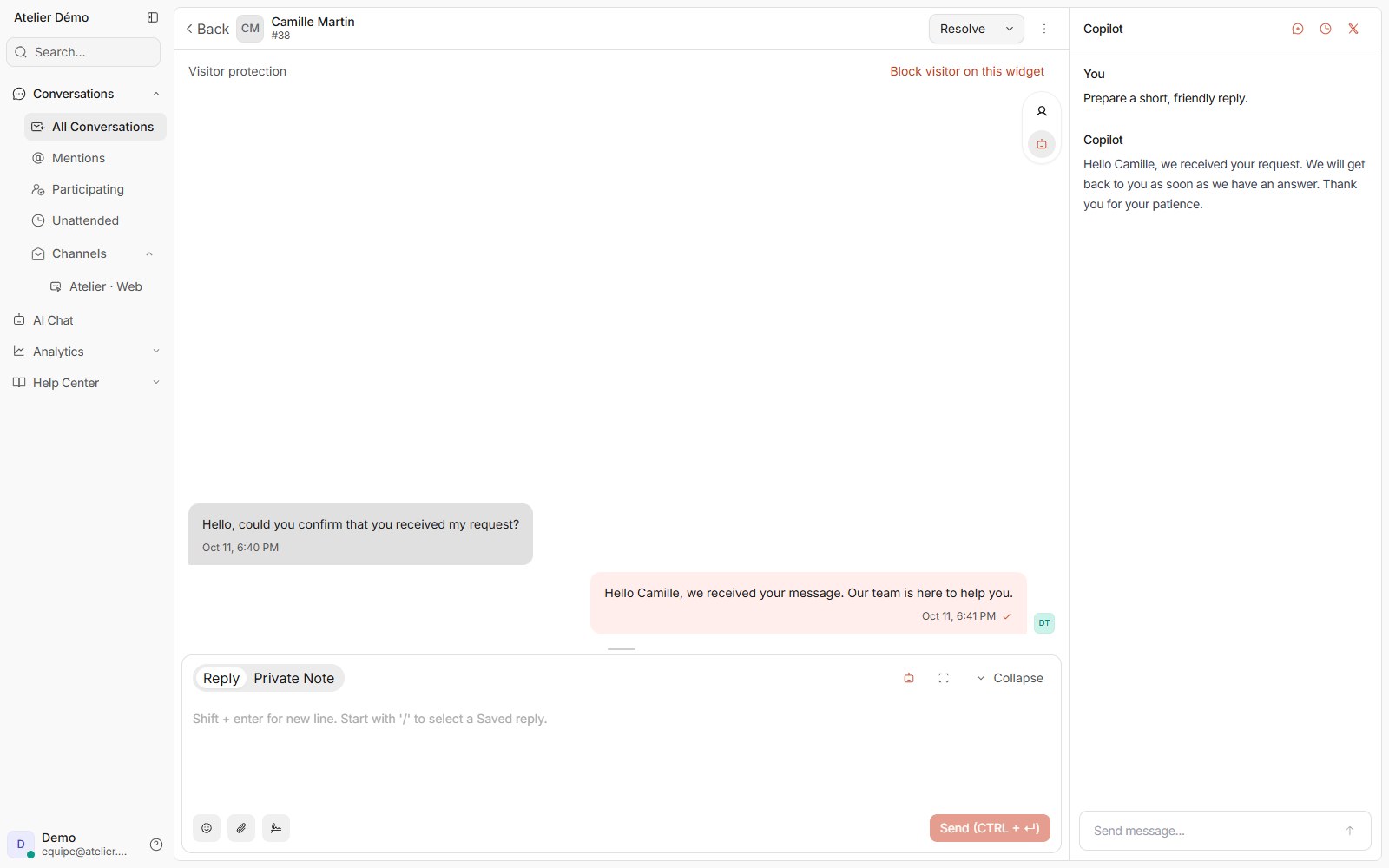
doue demonstration interface showing a copilot question and a reply to review.

In the conversation

Search with the context close at hand.

Open Oli from your workspace and ask a question about the request. Authorized knowledge supports its reply.

  • Ask a specific question about a policy or product.
  • Review sources when they are provided.
  • Keep customer information within the correct account.
Sol
Oli

In your workspace

Sol replies to customers. Oli supports your team.

Sol can reply to customers; Oli helps team members prepare their replies. Customer AI conversations and copilot actions use separate counters. The active catalog specifies allowances and their unit.

  • In the v7 catalogue, the copilot allowance counts successful actions.
  • Historical contracts may retain a different credit unit.
  • Check Usage and Billing for your account entitlements.
Read the guide

Before sending

The suggestion stays in your hands.

A reply from Oli is writing assistance. Review and adjust it before sending it to the customer.
  • Review facts, tone and sensitive information.
  • Adjust the text before using it in your reply.
  • You can keep replying manually.
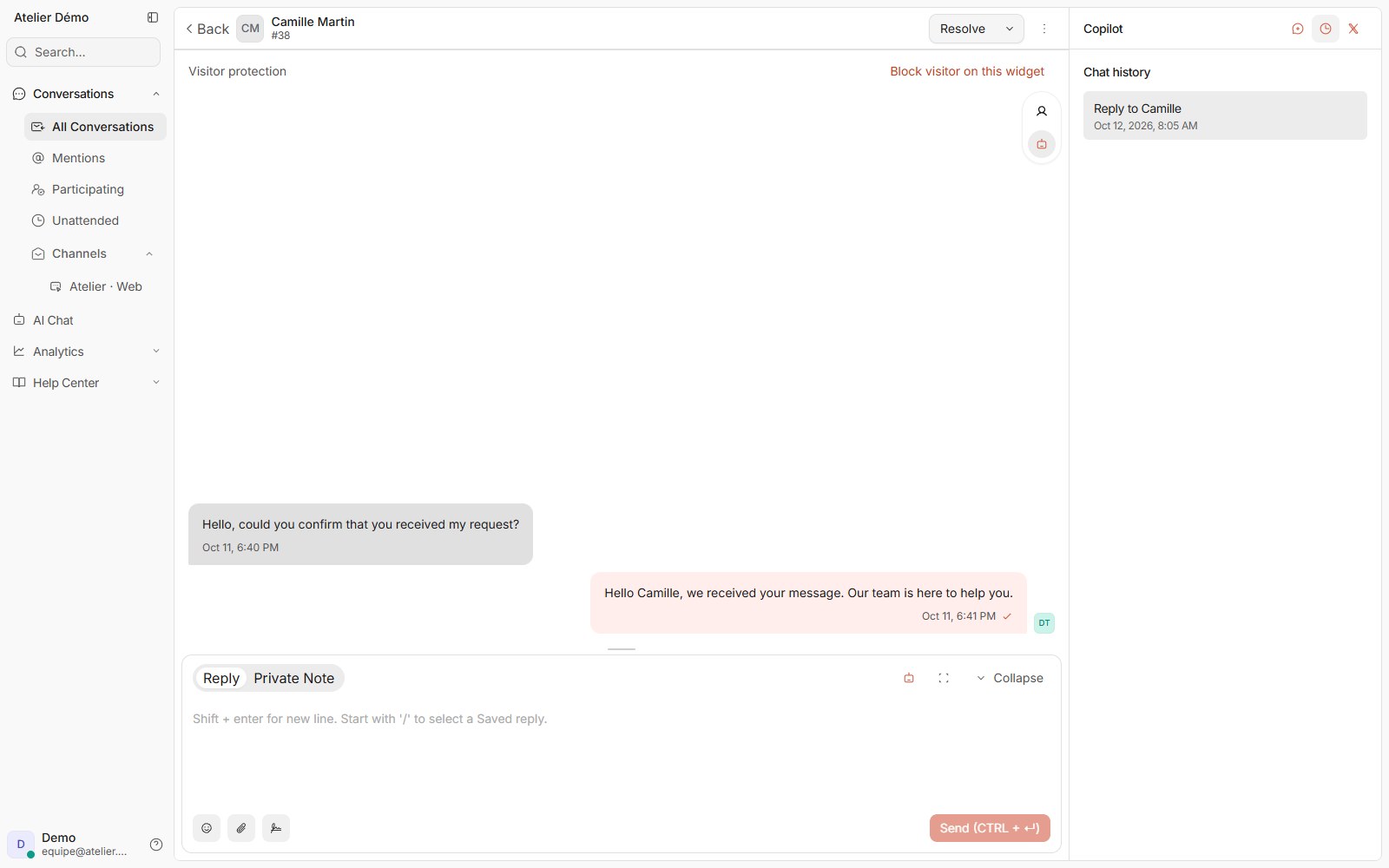
doue interface showing copilot history associated with a synthetic conversation.

Features and access

What your team can do.

Availability follows enabled features, permissions and account limits.

Available today

Questions about knowledge

Consult authorized content through a tool designed for your team.

Reply assistance

Prepare text that you can review before sending.

Working history

Find copilot exchanges in its discussion space.

Separate allowance

Copilot actions and customer AI conversations use separate counters.

Summary and rewriting

Summarize the conversation or improve a text: clarity, grammar, tone or length. Review the result before sending.

Limits and control

A clear framework for the team.

An available feature does not replace checking the context.

  • Access depends on account AI features and permissions.
  • Verify suggestions; they do not guarantee every fact is correct.
  • Reaching the copilot limit does not prevent writing and sending a manual reply.

Explore this workflow in doue.

Check pricing for allowances, or tell us about your team.

Contact us
  • Access by invitation
  • Terms agreed individually
  • Private beta by invitation. Participation terms are agreed individually with each tester.